
Task #10478 (closed)
BUG: Big image view at 1.0x Insight
| Reported by: | pwalczysko | Owned by: | jburel |
|---|---|---|---|
| Priority: | major | Milestone: | OMERO-4.4.7 |
| Component: | Insight | Version: | n.a. |
| Keywords: | Big images | Cc: | ux@… |
| Resources: | n.a. | Referenced By: | n.a. |
| References: | n.a. | Remaining Time: | 0.0d |
| Sprint: | Bugs Fixing |
Description
Server Gretzky.
Image /Volumes/ome/data_repo/Scotts User Images/Teaching? svs images/Beta set/47_Ovary.svs
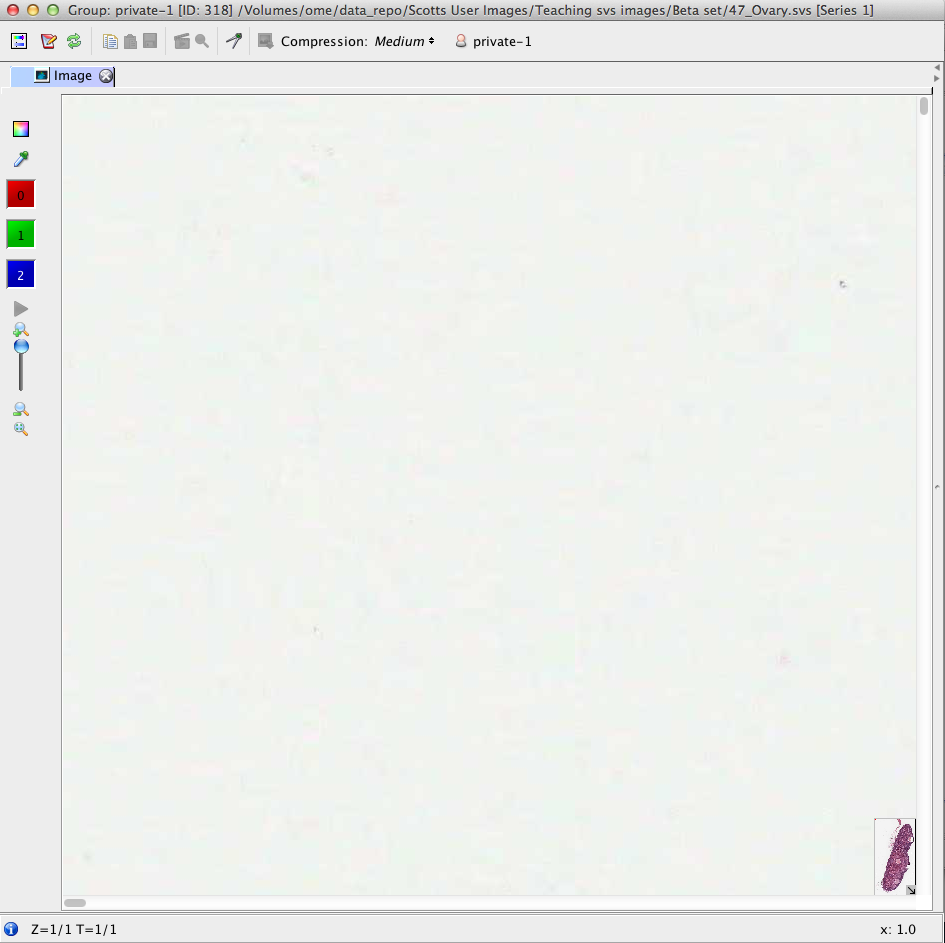
After opening the image in full viewer, at the default zoom (1.0x) it is impossible to use the red dot (square) in the right-bottom corner insert to pan. The red square is either not there, or is not "Catchable" by the mouse. The only way to pan or see the centre of the image is use the main view, or zoom out. See screenshot.
Attachments (1)
Change History (5)
Changed 6 years ago by pwalczysko
comment:1 Changed 6 years ago by jburel
- Remaining Time set to 1
comment:2 Changed 6 years ago by jburel
- Remaining Time changed from 1 to 0
- Resolution set to fixed
- Status changed from new to closed
comment:3 Changed 6 years ago by jburel <j.burel@…>
(In [58667a504128ff091a34371edc02c6c345b299ad/ome.git] on branch develop) Change selection using mouse click. (see #10478)
comment:4 Changed 6 years ago by jburel <j.burel@…>
(In [08d84741b9206f28c3a7330bc3e8896f25f18354/ome.git] on branch develop) Improve mouse dragged and cursor display (see #10478)
Note: See
TracTickets for help on using
tickets.
You may also have a look at Agilo extensions to the ticket.


see https://github.com/openmicroscopy/openmicroscopy/pull/856