
Task #11253 (closed)
Opened 6 years ago
Closed 6 years ago
Bug: Importer won't permit viewing of import exceptions
| Reported by: | rleigh | Owned by: | |
|---|---|---|---|
| Priority: | minor | Milestone: | 5.0.0-rc1 |
| Component: | Insight | Version: | 5.0.0-beta1 |
| Keywords: | FS | Cc: | ux@… |
| Resources: | n.a. | Referenced By: | n.a. |
| References: | n.a. | Remaining Time: | n.a. |
| Sprint: | OMERO 5 Beta 2 (1) |
Description
The 4.4 importer displayed the import exceptions. With 5.x it's now only possible to view the server-side import log. The exception is submitted to the QA system--it's just not viewable directly in the client prior to submission. It would be nice if this was acessible either via the submit context menu or as a "View Exception" next to "View Import Log" or as part of the import log.
Attachments (1)
Change History (7)
Changed 6 years ago by rleigh
comment:1 Changed 6 years ago by rleigh
- Cc omero-team added
- Owner jburel deleted
comment:2 Changed 6 years ago by jburel
- Cc ux@… added; omero-team removed
comment:3 Changed 6 years ago by rleigh
Where is the exception viewable in the client? It's certainly not obviously in the submission dialogue (see screenshot), and it's not one of the drop-down options on the Failed/View? button as far as I could see.
comment:4 Changed 6 years ago by jburel
The error should be displayed in the tool tip when mousing over the X.
comment:5 Changed 6 years ago by rleigh
That wasn't at all obvious--I never noticed this after a fairly careful search. This isn't the purpose or expected behavour of tooltips. And it really needs to be in a form where it can be copied and pasted--currently the only way to do this is to submit it to the QA system which is clearly suboptimal. A large multi-line exception won't be fully viewable. Could this be put into a separate tab on the submission dialogue and/or a separate option on the drop-down Failed button so one can view it properly and copy it if needed?
comment:6 Changed 6 years ago by jburel
- Component changed from General to Insight
- Milestone changed from Unscheduled to 5.0.0-beta2
- Resolution set to fixed
- Sprint set to OMERO 5 Beta 2 (1)
- Status changed from new to closed


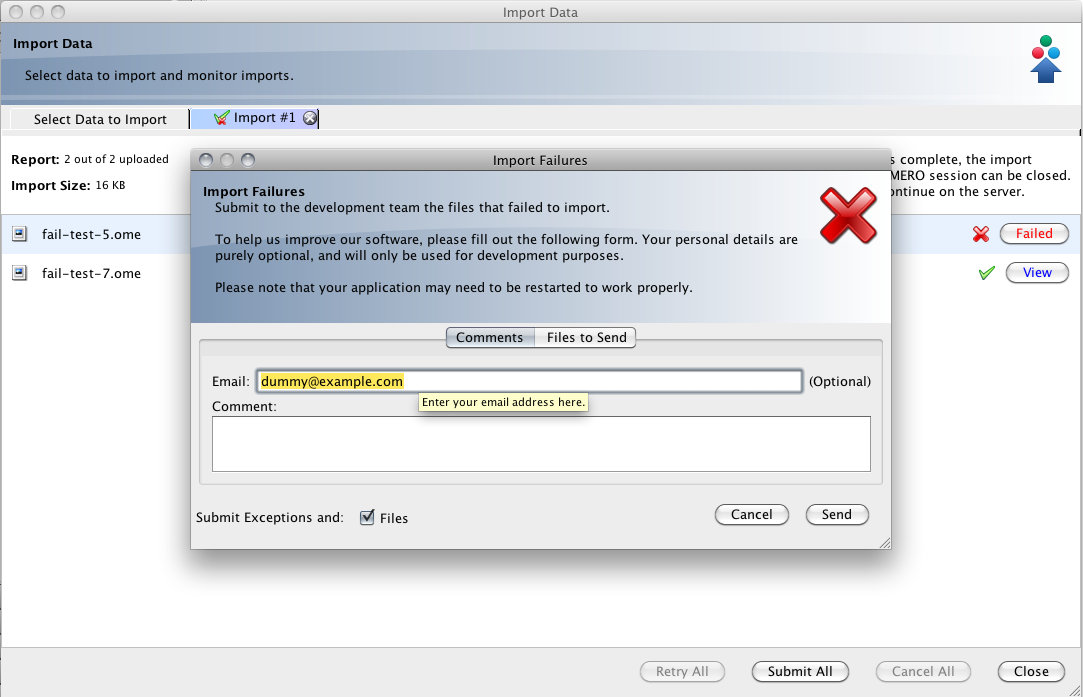
it is viewable in the client. prior to submission. The Import error will not be logged in the client log unless it happens before upload e.g. mike.dv