
Task #11646 (closed)
Opened 6 years ago
Closed 6 years ago
BUG: Webfigure - delete old pane
| Reported by: | pwalczysko | Owned by: | web-team@… |
|---|---|---|---|
| Priority: | critical | Milestone: | Unscheduled |
| Component: | Web | Version: | 4.4.9 |
| Keywords: | n.a. | Cc: | ux@…,, jamoore |
| Resources: | n.a. | Referenced By: | n.a. |
| References: | n.a. | Remaining Time: | n.a. |
| Sprint: | n.a. |
Description
Once I have added a pane in the Webfigure, I have no obvious way how to remove it.
This would break many workflows - although there is a possiblity to go back using cmd + Z, if I am many steps into creation of my figure, I do not want to click back all the way just to delete one of the figures I have added. Even if I logout and login again, the pane is still in the Webfigure tab - how to get rid of it ? (e.g. see screenshot: the purple figure was there first, then i added the grey figure - but the purple one is still around forever).
Attachments (1)
Change History (5)
Changed 6 years ago by pwalczysko
comment:1 Changed 6 years ago by pwalczysko
- Priority changed from blocker to critical
comment:2 Changed 6 years ago by pwalczysko
comment:3 Changed 6 years ago by wmoore
To delete a panel, select it & hit delete.
comment:4 Changed 6 years ago by wmoore
- Resolution set to fixed
- Status changed from new to closed
Added a "Delete" button, and 'del' key in Windows also deletes now.
Note: See
TracTickets for help on using
tickets.
You may also have a look at Agilo extensions to the ticket.


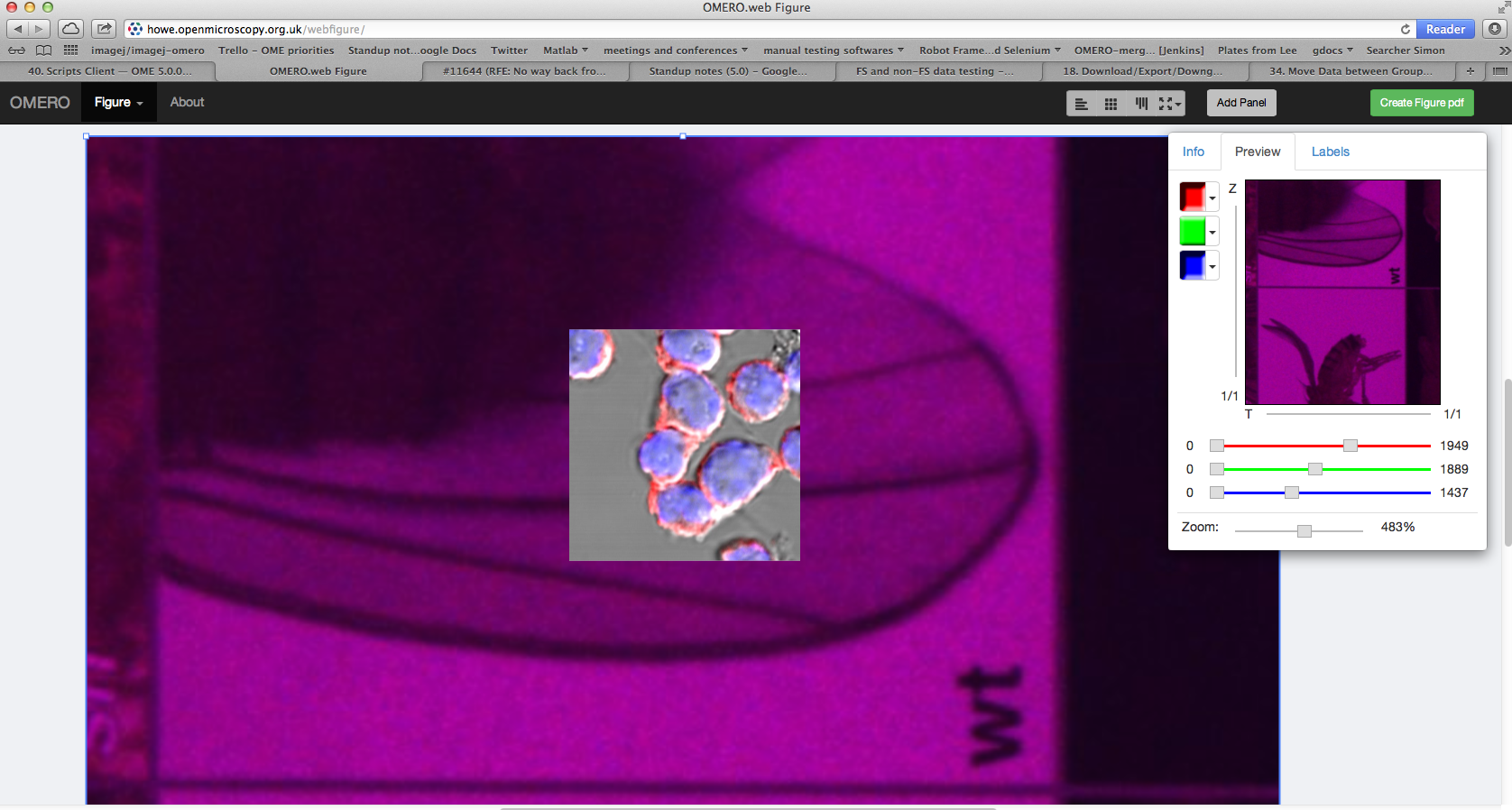
I understand now that the impossibility to Delete a pane comes from me using the Windows keyboard key DELETE - this does not work. Nevertheless, when I use the Backspace on my Mac laptop directly, the delete action is there.
I think for cases like this, it needs a Delete icon in the UI itself.