
Task #6084 (closed)
Opened 8 years ago
Closed 8 years ago
Bug: Apply to all rendering settings projected image
| Reported by: | saloynton | Owned by: | jburel |
|---|---|---|---|
| Priority: | minor | Milestone: | OMERO-Beta4.3.1 |
| Component: | General | Version: | n.a. |
| Keywords: | n.a. | Cc: | saloynton |
| Resources: | n.a. | Referenced By: | n.a. |
| References: | n.a. | Remaining Time: | n.a. |
| Sprint: | 2011-07-07 (1) |
Description
Testing on Howe
Under scenario 13.
The problem was occurring with the imported projected image.
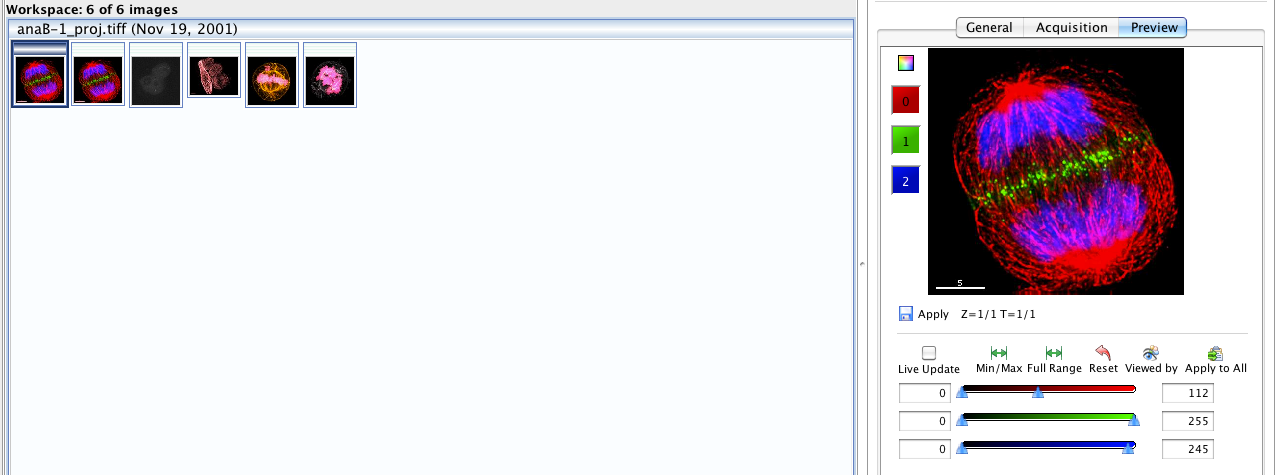
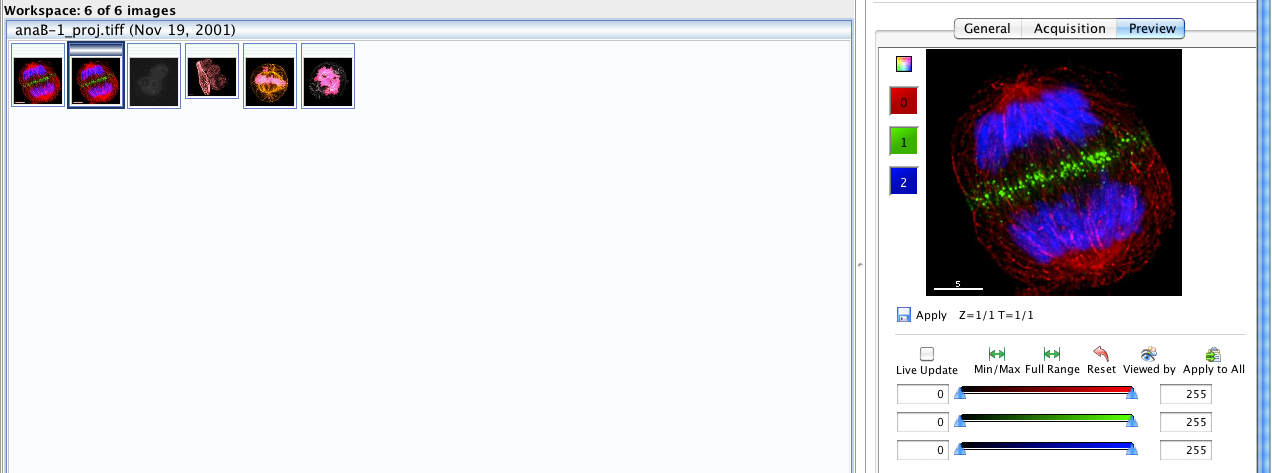
On changing the rendering settings for one image, all the relevant thumbnails have been updated in the data manager in the central panel.
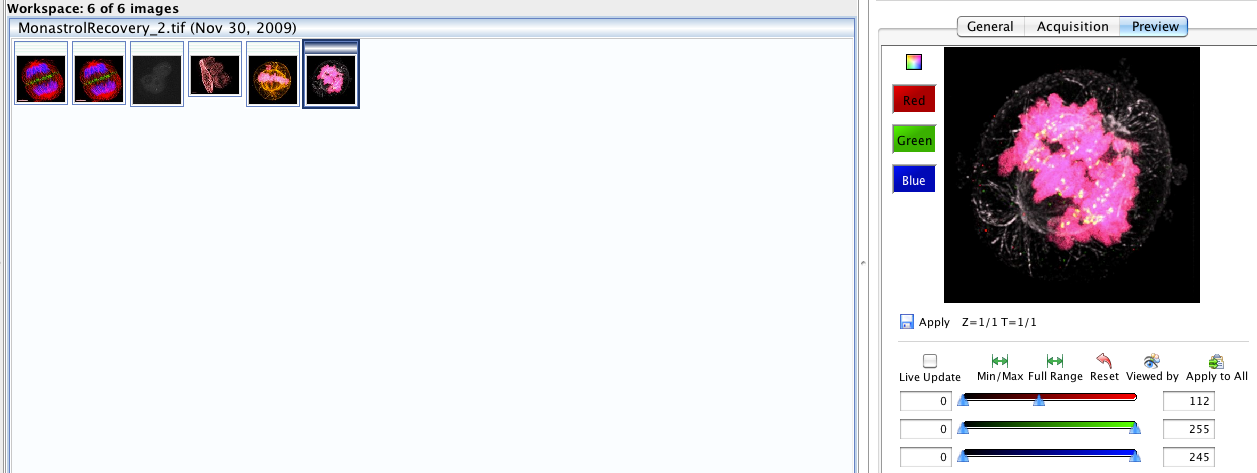
However the settings have not been applied to the projected image. The rendering settings when opening this image have not been changed. But the rendering settings in the thumbnail is shown as being changed.
Three screenshot's attached to illustrate the point.
Attachments (3)
Change History (6)
Changed 8 years ago by saloynton
comment:1 Changed 8 years ago by jburel
one of the thumbnail is totally black. is that a bad image?
I think that might be the cause of the problem
comment:2 Changed 8 years ago by saloynton
The black image is an image with rendering setting not applicable to the changed rendering settings. You can just make out the image in screenshot step 1.
comment:3 Changed 8 years ago by jburel
- Resolution set to worksforme
- Status changed from new to closed




Step 1 - setting the rendering setttings