
Task #9508 (closed)
Configure encrypted flag
| Reported by: | jburel | Owned by: | jburel |
|---|---|---|---|
| Priority: | major | Milestone: | OMERO-4.4.4 |
| Component: | Insight | Version: | n.a. |
| Keywords: | n.a. | Cc: | perttu.maatta@…, harri.jaalinoja@… |
| Resources: | n.a. | Referenced By: | n.a. |
| References: | n.a. | Remaining Time: | 0.0d |
| Sprint: | 2012-08-28 (3) |
Description
Login is always encrypted, data transfer by default is not.
Make sure the flag can be configured from the configuration file.
Attachments (2)
Change History (11)
comment:1 Changed 7 years ago by jburel
- Sprint set to 2012-09-11 (4)
comment:2 Changed 7 years ago by jburel
- Sprint changed from 2012-09-11 (4) to 2012-08-28 (3)
- Status changed from new to accepted
comment:3 Changed 7 years ago by jburel
comment:4 Changed 7 years ago by jburel
To test: Modify the values of entries in container.xml
- Change configurable attribute of the hostName:
- if true, the user can modify, add, remove hostname.
- if false, the user can only modify the connection speed. See screenshot
- Set to false the encrypted tag, The icon should be in the "locked" position
- Set to true the encrypted tag, The icon should be in the "unlocked" position
- Change configurable attribute of the encrypted:
- if true, clicking on the icon will modify its status i.e. from locked (resp. unlocked) to unlocked (resp. locked)
- if false, clicking on the icon does nothing.
Changed 7 years ago by jburel
Changed 7 years ago by jburel
comment:5 Changed 7 years ago by jburel
- Remaining Time changed from 0.3 to 0
- Resolution set to fixed
- Status changed from accepted to closed
comment:6 Changed 7 years ago by jburel <j.burel@…>
(In [67fd2e19ff47455b6756734c4ce1348eae6d3c2d/ome.git] on branch develop) Add more configuration options to connect to server (see #9508).
Allow user to interact with host name and add a new encrypted
entry.
comment:7 Changed 7 years ago by jburel <j.burel@…>
(In [160be711898774ef1086a6c419e386050d4cfc9b/ome.git] on branch develop) Set the default configuration option (see #9508)
comment:8 Changed 7 years ago by jburel <j.burel@…>
(In [c8fc68e6dcd747a205300b56dab18987c00f6150/ome.git] on branch develop) Modify UI according to encryption paramaters (see #9508)
comment:9 Changed 7 years ago by jburel <j.burel@…>
(In [b810bdddf657959a8be70feba37475102e11a892/ome.git] on branch develop) Set the default configuration parameters (see #9508)


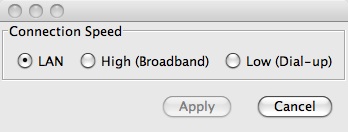

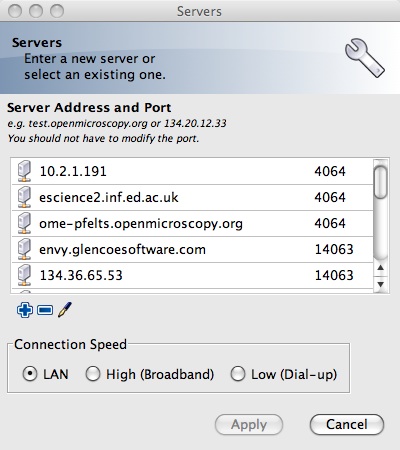
The new configuration options to connect to server
<structuredEntry name="/services/OMERODS" type="OMERODS">
      <!-- The configurable attribute indicates that the user can modify the
      value from the UI.
      -->
      <hostName configurable="false">localhost</hostName>
      <port>4063</port>
      <portSSL>4064</portSSL>
      <!-- Indicates the data transfer is encrypted (slower).
      The default value is false
      -->
      <encrypted configurable="false">false</encrypted>
    </structuredEntry>