
Task #9753 (closed)
BUG - Importer-click on thumbnails in Importer does nothing
| Reported by: | pwalczysko | Owned by: | jburel |
|---|---|---|---|
| Priority: | minor | Milestone: | OMERO-4.4.7 |
| Component: | Insight | Version: | n.a. |
| Keywords: | n.a. | Cc: | ux@… |
| Resources: | n.a. | Referenced By: | n.a. |
| References: | n.a. | Remaining Time: | 0.0d |
| Sprint: | 2013-04-09 (7)) |
Description (last modified by pwalczysko)
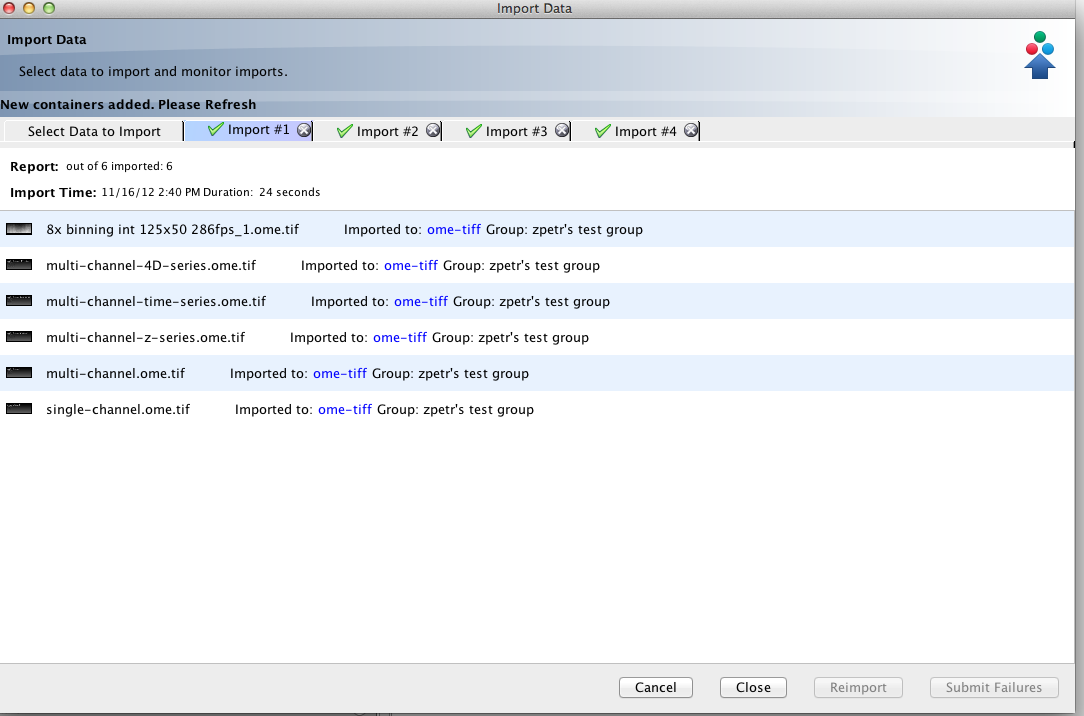
Downloaded Insight 4.4.4 from the webpage. Logged in as user-3 to Howe server. Imported images. The supposed feature is that after import, still in the importer, there are thumbnails of the imported images shown. This works. On clicking the thumbnail, the imported image should open in full viewer. This works for me only in 10-20% of cases. Examples of images which did not open in full viewer:
test_images_good/jpeg/DMSOHigh_001.jpg
test_images_good/jpeg/DLD1-MT-02_R3D_D3D01.jpg
2kx2k.jpg
4kx4k.jpg
and many others.
Attachments (3)
Change History (16)
comment:1 Changed 7 years ago by pwalczysko
comment:2 Changed 7 years ago by jburel
- Sprint changed from 2012-10-23 (1) to 2012-11-20 (2)
comment:3 Changed 7 years ago by jburel
- Sprint 2012-11-20 (2) deleted
comment:4 Changed 7 years ago by jburel
Many things in that ticket. Some images have the pyramid being created. What is the message displayed when you click on the thumbnail?
comment:5 Changed 7 years ago by pwalczysko
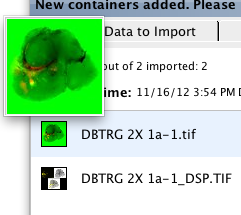
Nothing. No message displayed. No reaction at all. In vast majority of cases. Only the larger thumbnail appears, which is there already when you do mouseover.
I understand it so that the image should open in full viewer.
Actually it just did, just now for DBTRG 2X 1a- 1.tif from fluoview on test images good.
But this means nothing - I have had this very image imported many times and it never opened a full viewer after a click on the thumbnail in Importer window.
Many other images just imported today do nothing at all, just as described.
Changed 7 years ago by pwalczysko
Changed 7 years ago by pwalczysko
Changed 7 years ago by pwalczysko
comment:6 Changed 7 years ago by pwalczysko
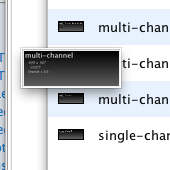
Forgot to say, there is a tooltip saying "click to view the image".
Double-click does not help - the same result as single click.
In those rare cases when a full viewer opens (see previous comment), when the full viewer window is closed, it is never possible to repeat (open the full viewer again clicking on the icon in the Importer window).
It works just once
comment:7 Changed 7 years ago by pwalczysko
@jburel : Do you want me to split this ticket ?
Here are two issues:
- - no full viewer after thumbnail click
- - non-functioning link to the dataset
This probably confuses the matters
comment:8 Changed 7 years ago by jburel
Please do thanks
comment:9 Changed 7 years ago by pwalczysko
- Cc ux@… added; r.k.ferguson@… removed
- Description modified (diff)
comment:10 Changed 7 years ago by pwalczysko
- Summary changed from BUG - Importer-imported images thumbnails and dataset links to BUG - Importer-click on thumbnails in Importer does nothing
The non-functioning links topic was moved to ticket #9923 as discussed.
comment:11 Changed 6 years ago by jburel
- Remaining Time set to 0
- Resolution set to fixed
- Sprint set to 2013-04-09 (7))
- Status changed from new to closed
comment:12 Changed 6 years ago by jburel <j.burel@…>
(In [5dd282cb1346cac6b08669f8e1915d99e2adaec5/ome.git] on branch develop) View the imported image using click (see #9753)
comment:13 Changed 6 years ago by Josh Moore <josh@…>
(In [203394a0deecf84a73f828ea8edffe4950eb8c6f/ome.git] on branch develop) Merge pull request #877 from jburel/rebased/develop/import-thumbnail-view
View the imported image using click (see #9753) (rebased onto develop)




Moved from sprint 2012-10-23 (1)