
Task #9860 (closed)
Bug: import multi-groups
| Reported by: | jburel | Owned by: | jburel |
|---|---|---|---|
| Priority: | blocker | Milestone: | OMERO-4.4.7 |
| Component: | Insight | Version: | n.a. |
| Keywords: | n.a. | Cc: | ux@… |
| Resources: | n.a. | Referenced By: | n.a. |
| References: | n.a. | Remaining Time: | 0.0d |
| Sprint: | 2012-11-20 (2) |
Description
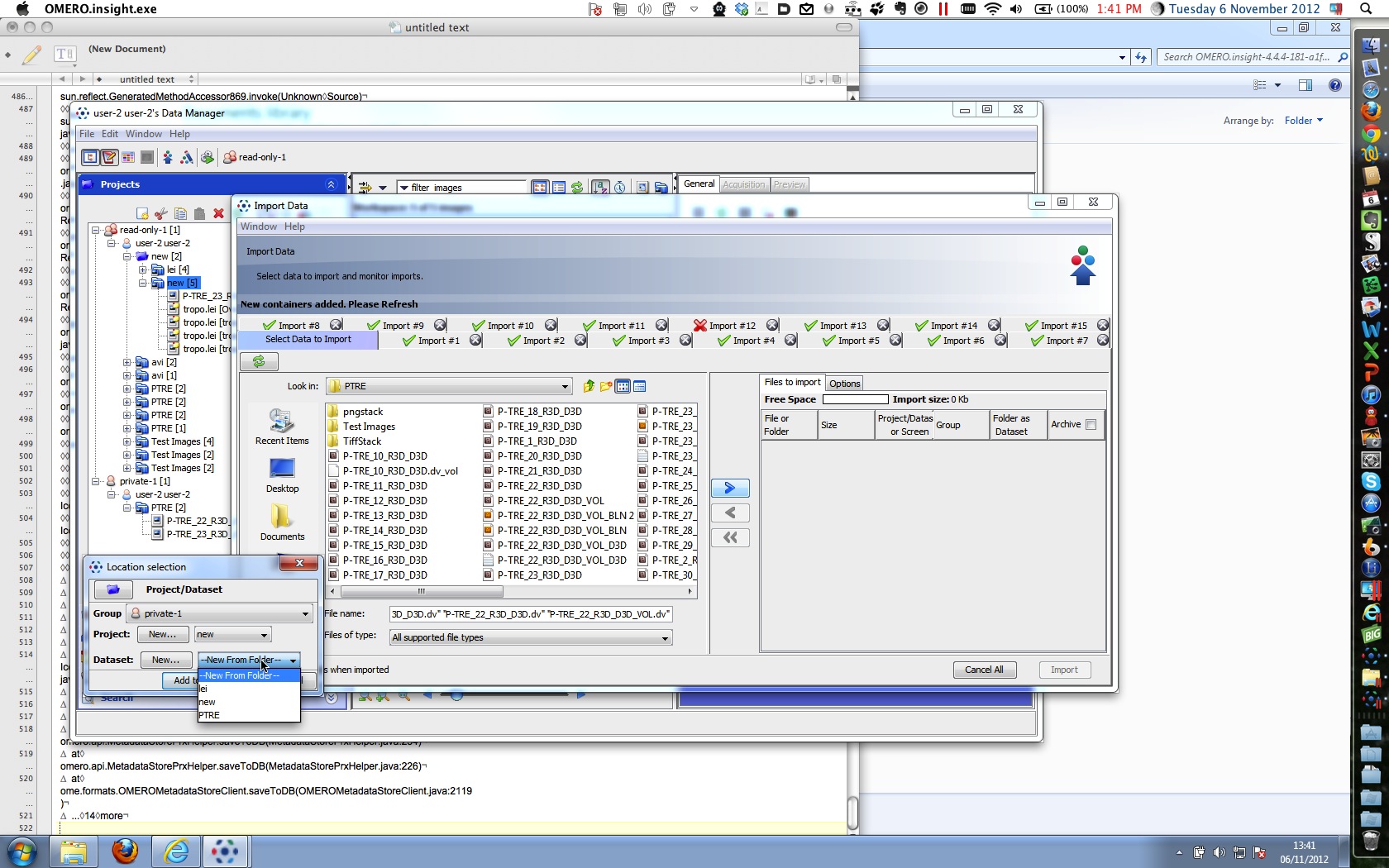
Import and multigroups - 2. Import queue - this worked OK. Noticed however that when I selected "private-1" group, the drop down box for selecting existing projects was offering me projects from user-2 "read-annotate-1" group data tree. (See screenshot Parallels Desktop.jpg). I selected the offered projects and datasets in the other group and tried an import. This failed for all images with the security violation error message in screenshots folder.
Attachments (4)
Change History (12)
Changed 7 years ago by jburel
Changed 7 years ago by jburel
comment:1 Changed 7 years ago by jburel
comment:2 Changed 7 years ago by jburel
- Remaining Time set to 0.25
- Status changed from new to accepted
comment:3 Changed 7 years ago by jburel
- Remaining Time changed from 0.25 to 0
- Resolution set to fixed
- Status changed from accepted to closed
comment:4 Changed 7 years ago by rkferguson
Above works as expected when no import queue being processed.
Problem if done while import being processed:
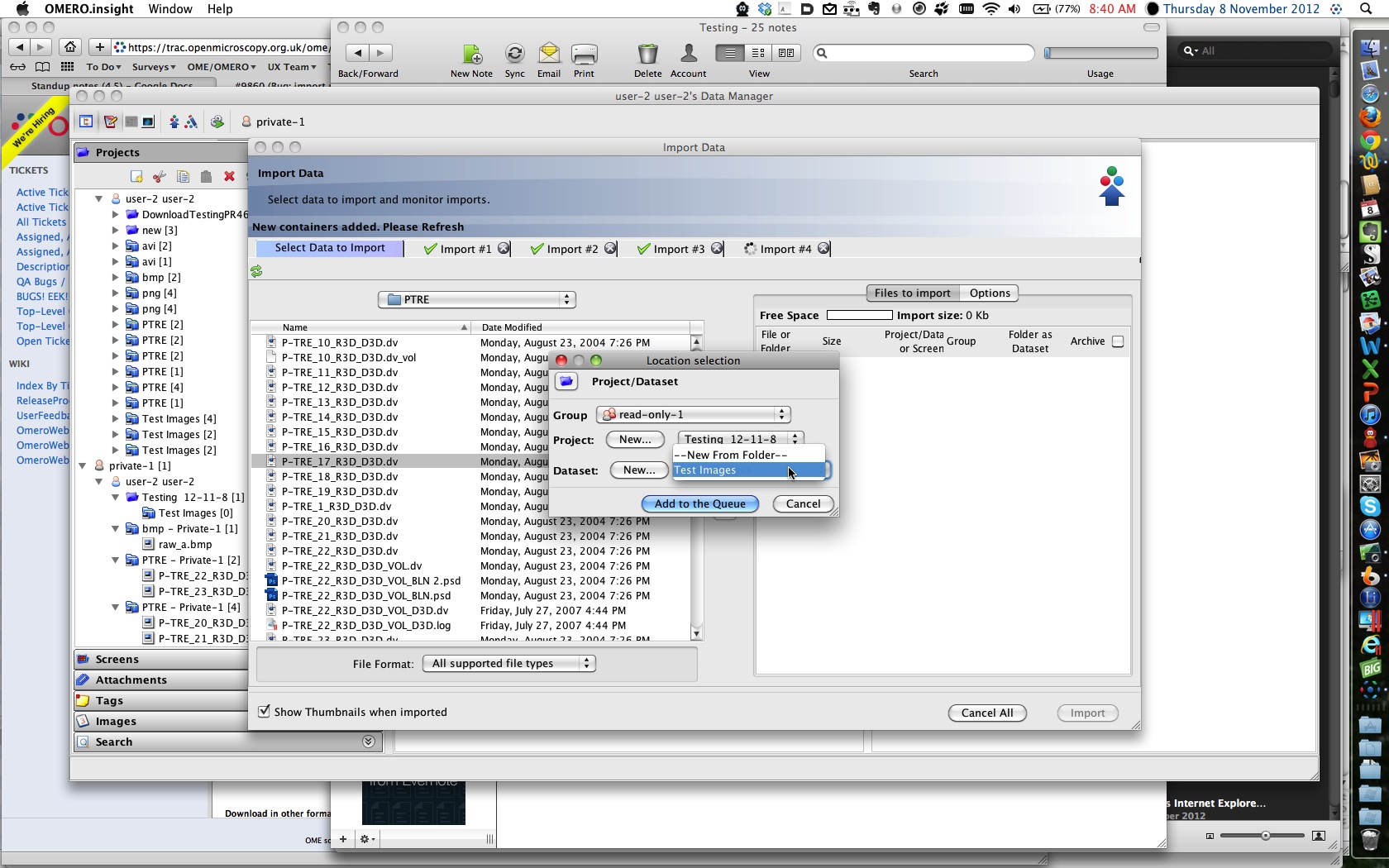
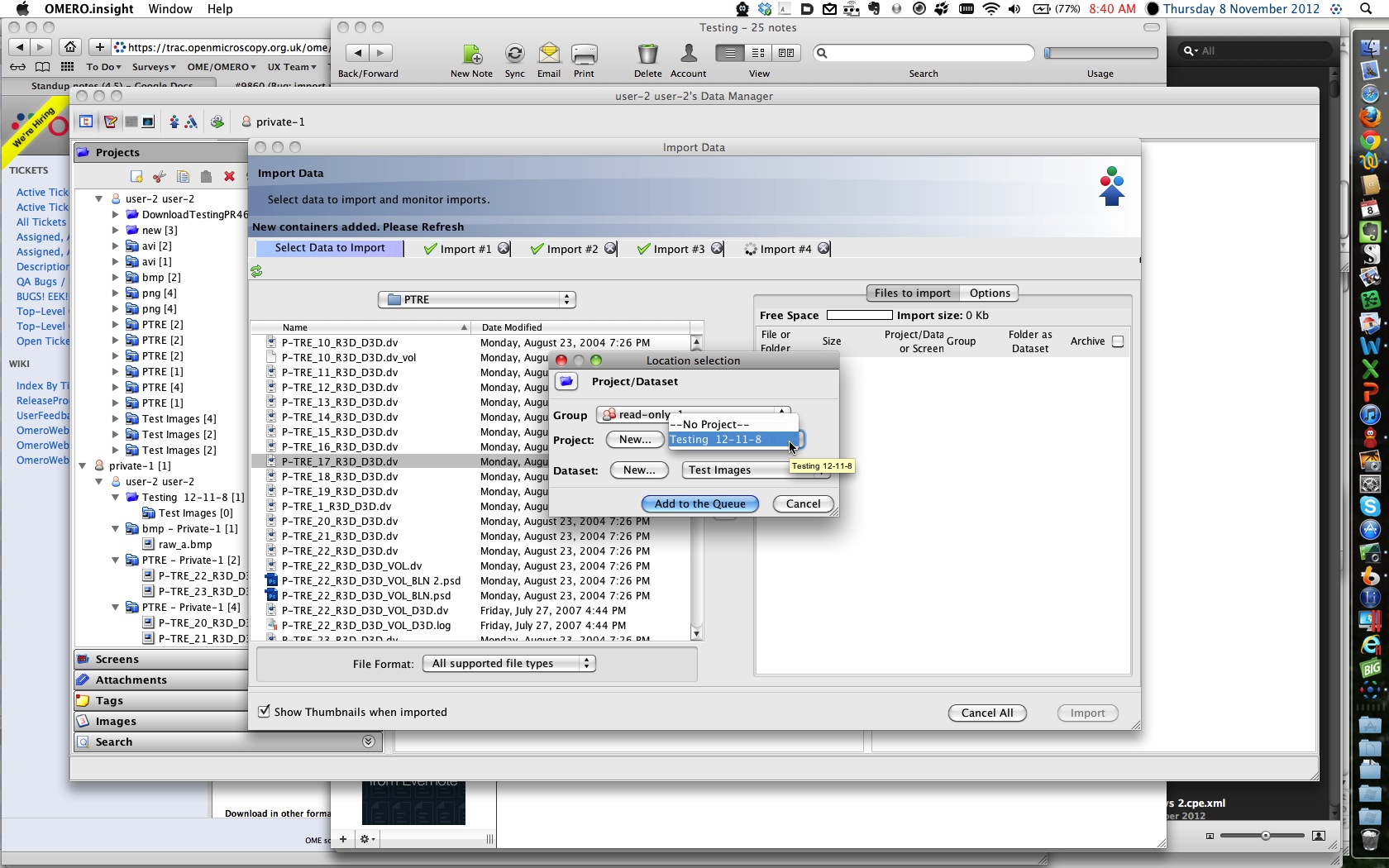
While import queue processing imports into Private-1, tried to import into Read-only-1.
Dialogue would only access Private-1 projects and datasets in drop downs (see screenshots).
Selected these and tried importing while Private-1 import still processing - gives same security violation as before.
If I wait for all thePrivate-1 imports to be completed, then it successfully imports the "Read-only-1" image into the selected Private-1 project-dataset - not into Read-only-1.
Changed 7 years ago by rkferguson
Changed 7 years ago by rkferguson
comment:5 Changed 7 years ago by rkferguson
OMERO.insight-4.4.4-203-fa8e690-dirty-ice33-b55-win on howe using Windows 7
Works as expected
comment:6 Changed 7 years ago by jburel <j.burel@…>
(In [ca74a120b8a0441a75b138b4d1019b0656048770/ome.git] on branch develop) Fix import and group selections. (see #9860)
The problem only happens when the user is a member of more
than one group and follow a specific workflow (details added to
ticket).
comment:7 Changed 7 years ago by jburel <j.burel@…>
(In [e3cd4761a9d434dc34d30db5b8e07696466a61c9/ome.git] on branch develop) Fix group switch when on-going import (see #9860)
comment:8 Changed 7 years ago by Josh Moore <josh@…>
(In [28ae9a38889971e7abc9b0554446260eca475464/ome.git] on branch develop) Merge pull request #622 from jburel/rebased/develop/import_bugs




To Reproduce: