
Task #10381 (closed)
Opened 6 years ago
Closed 4 years ago
BUG: Apparent loss of connection during MIAS import
| Reported by: | pwalczysko | Owned by: | jburel |
|---|---|---|---|
| Priority: | major | Milestone: | 5.1.2 |
| Component: | Import | Version: | 4.4.9 |
| Keywords: | FS import | Cc: | fs@…, ux@… |
| Resources: | n.a. | Referenced By: | n.a. |
| References: | n.a. | Remaining Time: | n.a. |
| Sprint: | n.a. |
Description (last modified by pwalczysko)
This problem happens also with 4.4.6 release version of Insight. See comment below (from QA).
During the testing of file formats import on Gretzky, build OMERO.insight-4.4.4-1274-b3d767a-dirty-ice33-b166-mac. User-6, group: private -1.
Import Nr. 1
Imported first from_skyking/mias/frans/siRNA.... successfully (also regions were visible).
Next:
Import Nr. 2
Imported test_images_good/mias/frans/MIAS 3 D set 2 july 13 2009/001/0018/1/
Took very long, clicked on thumbs before finish.
Got error (see attached).
Import Nr. 3
In the meantime also started import of leica.scn file.
Both Imports 2. and 3. failed. (see attached "import failure import 2 and 3"
In the meantime also clicked on the thumbs of the plate.
Each time I got "cannot access data" error (see attached).
Clicking further on anything (Projects tab, another plate, project) cause a "cannot access data" error.
Also Stack Dump is attached.
And Insight log.
Attachments (8)
Change History (27)
Changed 6 years ago by pwalczysko
Changed 6 years ago by pwalczysko
Changed 6 years ago by pwalczysko
Changed 6 years ago by pwalczysko
Changed 6 years ago by pwalczysko
comment:1 Changed 6 years ago by pwalczysko
comment:2 Changed 6 years ago by jmoore
pwalczysko: ConnectionLost? across the board. So it's not immediately clear that this is related to the format, other than that it took so long. Did you see any other network issues?
Jean-Marie, any chance that the keepAlive didn't get to run while a long-method invocation was happening?
comment:3 Changed 6 years ago by pwalczysko
jmoore: no "connection lost" dialogue appeared. Not even for a flash. The other guys importing at this moment all report huge delays in thumbnail creation which prevents them from viewing.
comment:4 Changed 6 years ago by pwalczysko
I think that the first error that appeared was:
java.lang.Exception: org.openmicroscopy.shoola.env.data.DSAccessException: Cannot access data.
Cannot load the table: -1
which is attached as "error in insight nr 3.txt"
I thought this one might be format specific ? (but I could be very easily proven wrong of course)
comment:5 Changed 6 years ago by jmoore
No, that's also a loss of connection. Is it worth trying it again? Perhaps once the server has stabilized a bit so we can see in isolation?
comment:6 Changed 6 years ago by jburel
a method could have blocked things. I will need to investigate what is going on. upload time etc.
Changed 6 years ago by pwalczysko
Changed 6 years ago by pwalczysko
comment:7 Changed 6 years ago by pwalczysko
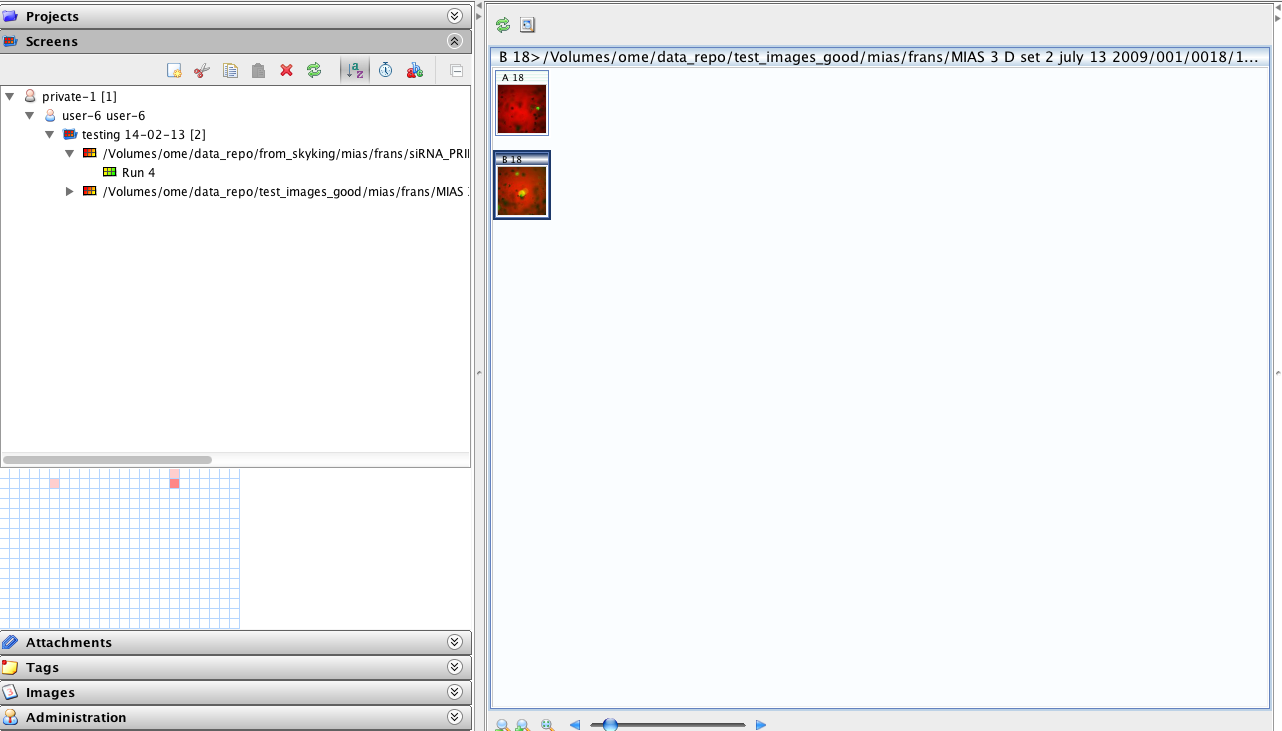
After Insight was restarted, the "failed" mias plate was there - but not all 3 well, just two (see srceenshot).
comment:8 Changed 6 years ago by bpindelski
Also encountered a connection exception and very slow thumbnail generation. Insight sometimes reported services (raw store, pixel) not being available. Log file (https://trac.openmicroscopy.org.uk/ome/attachment/ticket/10381/omeroinsight.log) attached.
comment:9 Changed 6 years ago by pwalczysko
This problem does not have anything to do with the MIAS plate. I have re-imported the plate successfully (although again just 2 wells are visible out of 3) and no problems occurred the second time.
comment:10 Changed 6 years ago by pwalczysko
- Priority changed from minor to major
- Summary changed from BUG: MIAS does not import right and causes problems to BUG: Apparent loss of connection during MIAS import
comment:11 Changed 6 years ago by pwalczysko
This problem appeared also with the release 4.4.6 version. See https://www.openmicroscopy.org/qa2/qa/feedback/4904/.
comment:12 Changed 6 years ago by pwalczysko
- Description modified (diff)
comment:13 Changed 6 years ago by jmoore
See also #10287 for CommuncatorDestroyed during a long-running NDPI import. This is slightly different from the other errors, since likely the server itself was suffering, but this may be a code path that can be handled at the same time.
comment:14 Changed 6 years ago by jmoore
- Sprint FS Demo 2 deleted
Not included in fs demo 2 tag. Removing from sprint
comment:15 Changed 6 years ago by jburel
- Milestone changed from 5.0.0 to 5.0.0-beta2
- Sprint set to OMERO 5 Beta 2 (1)
- Version set to 4.4.9
Moving to Beta2 for review.
comment:16 Changed 6 years ago by jamoore
- Owner set to jburel
J-m is currently looking at connection issues.
comment:17 Changed 6 years ago by jamoore
J-m: does https://github.com/openmicroscopy/openmicroscopy/pull/1838 close this ticket? Or do we push?
comment:18 Changed 6 years ago by jburel
- Milestone changed from 5.0.0-rc1 to 5.1.0
- Sprint OMERO 5 Beta 2 (1) deleted
the PR partially handles the ticket. The reconnect method invoked when we have connection lost exception is now implemented. as discussed, failures during long import will require changes to the import code itself. pushing for the second part of the ticket
comment:19 Changed 4 years ago by jburel
- Cc changed from fs@openmicroscopy.org.uk, ux@openmicroscopy.org.uk, to fs@openmicroscopy.org.uk, ux@openmicroscopy.org.uk
- Resolution set to invalid
- Status changed from new to closed
I have imported the files (user-12)
in a reasonable time.
No problem noticed. We could turn off some of the options e.g. thumbnails when importing HCS data
Marking this ticket as invalid


Note: the order of the errors attached is not chronological: first came the "-1" error ("error in insight nr 3"), then the other error ("error in Insight nr 2")